> For the complete documentation index, see [llms.txt](https://superb-1.gitbook.io/superb/llms.txt). Markdown versions of documentation pages are available by appending `.md` to page URLs; this page is available as [Markdown](https://superb-1.gitbook.io/superb/support/faq/how-to-check-your-nsb.md).

# How to Check Your NSB

<figure><img src="https://863027410-files.gitbook.io/~/files/v0/b/gitbook-x-prod.appspot.com/o/spaces%2F1i1esCY4jMcBq4srOvmF%2Fuploads%2FiIc8vDzrxYirVcFljg9o%2F%EA%B9%83%EB%B6%81%ED%8E%B8%EC%A7%91%EC%9A%A92.png?alt=media&amp;token=0cb0b634-6a71-49b4-8912-29683b6f138c" alt=""><figcaption></figcaption></figure>

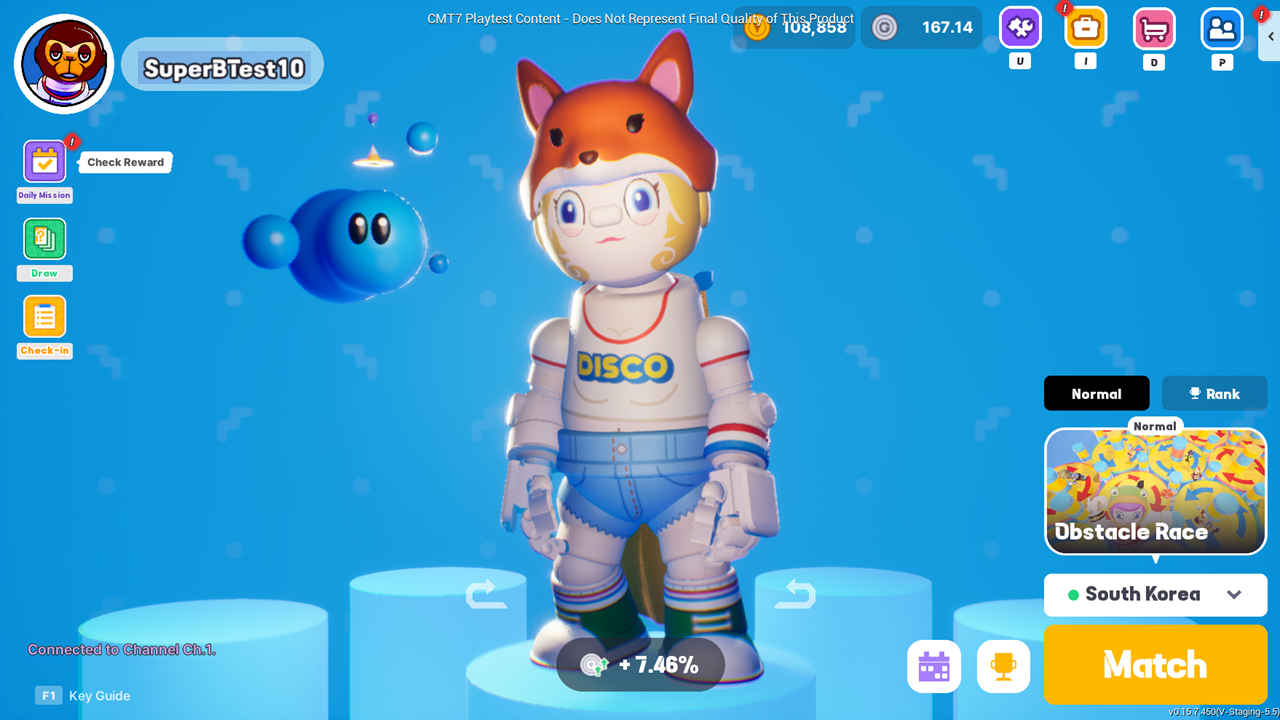
1. **Enter the game lobby.**

* If your Slush Wallet is not connected, you won’t be able to check your NSB. Please connect it first. (Slush Wallet Connection guide: [link](https://superb-1.gitbook.io/superb/~/revisions/p3Y867FLcVNEBfm6PhEb/how-to/connect-slush-wallet))
* Note: Slush Wallet cannot be connected on SuiPlay. Please use a PC to proceed.\
  If you have only played on SuiPlay, log in on a PC with the same Epic account you used on SuiPlay, and then connect your Slush Wallet.

<figure><img src="https://863027410-files.gitbook.io/~/files/v0/b/gitbook-x-prod.appspot.com/o/spaces%2F1i1esCY4jMcBq4srOvmF%2Fuploads%2FQJRKUCYqaFPqi9CegFNN%2F%EA%B9%83%EB%B6%81%ED%8E%B8%EC%A7%91%EC%9A%A91.png?alt=media&amp;token=6a6d2f0b-cfe3-4f8b-912c-cb9b8f275c31" alt=""><figcaption></figcaption></figure>

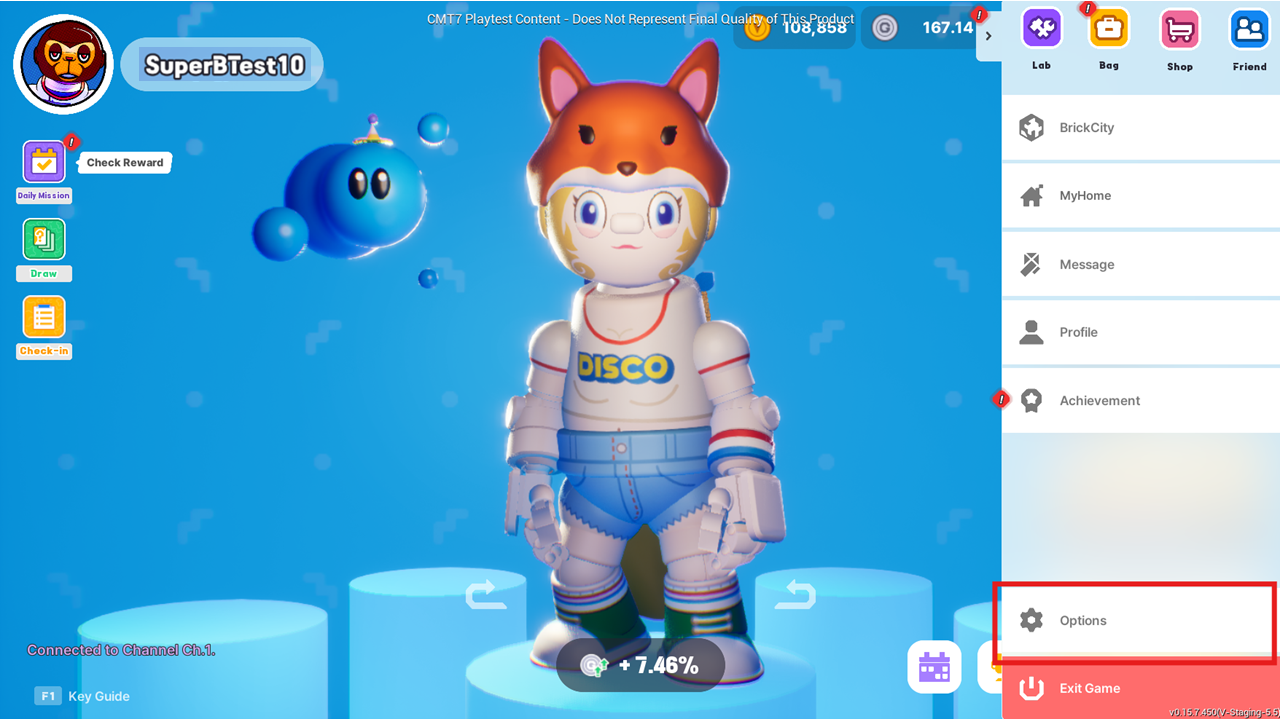
2. **Press the ESC key** and select the **Option** menu.

<figure><img src="https://863027410-files.gitbook.io/~/files/v0/b/gitbook-x-prod.appspot.com/o/spaces%2F1i1esCY4jMcBq4srOvmF%2Fuploads%2FCrgCMywTbESBwGi3SOpa%2F%EA%B9%83%EB%B6%81%ED%8E%B8%EC%A7%91%EC%9A%A94.png?alt=media&amp;token=01fb832e-d9f0-4078-9bbd-c944d3702065" alt=""><figcaption></figcaption></figure>

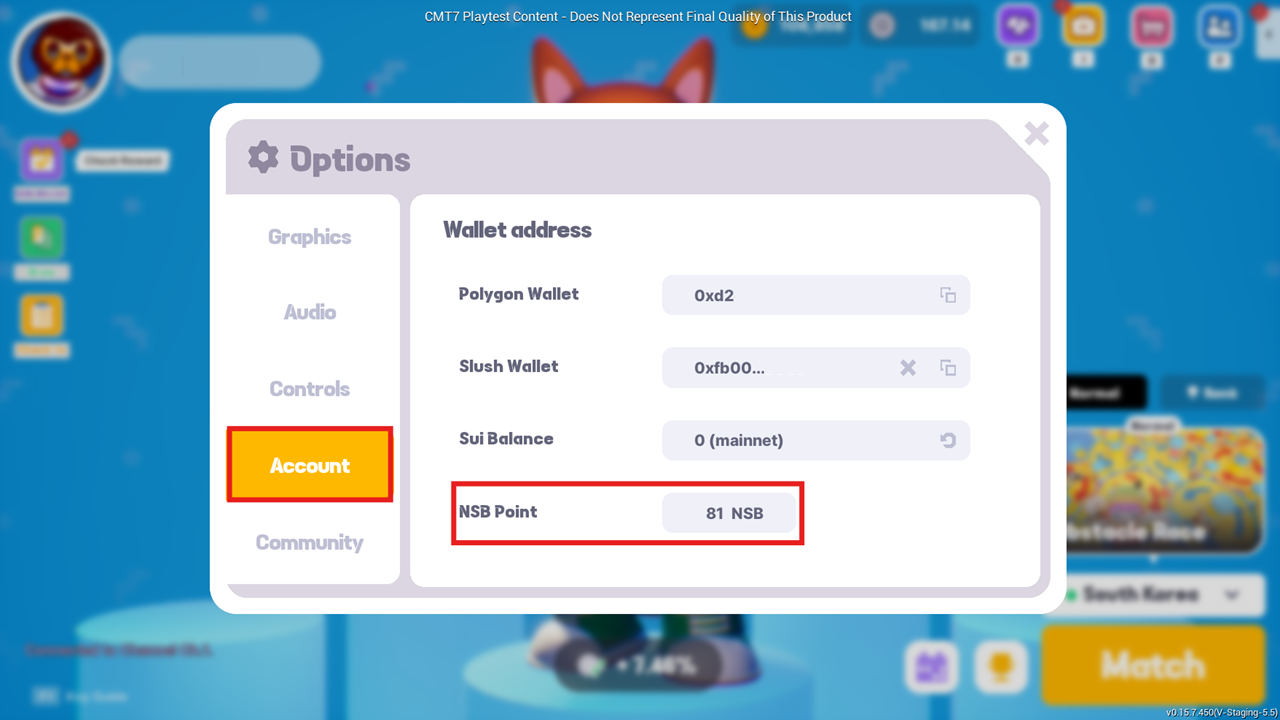
3. **Check your current NSB** in the **Account** tab.